
Testing Focus Stacking Software
Now we’ll look at how different programs do focus stacking.
I know that some professionals use different programs and focus stacking methods for a single photo, and then combine these different photos for better quality. I want to say that I don’t do this; I simply focus stack and then color correct.
Here we’ll look at photos taken with a Nikon D5600 + Thorlabs ITL200 + Mitutoyo 10x setup. You can find a review of this setup at this link.
Important note: I was unable to focus stack in Adobe Photoshop, even though the program has this feature. I was using a powerful computer, but even when focus stacking 300 photos, an error occurred.
We’ll look at a finished focus stack of four photographs. (The information is currently being updated, so for now, there’s only one photograph.)
The first photo shows crystals of Crocoite PbCr6+O4, Pyromorphite Pb5(PO4)3Cl, and Vauquelinite Pb2Cu(CrO4)(PO4)(OH). The horizontal frame size is approximately 2.2 mm. Focus stacking is made from 832 photos.
First there will be photos without enlargement (cropping).
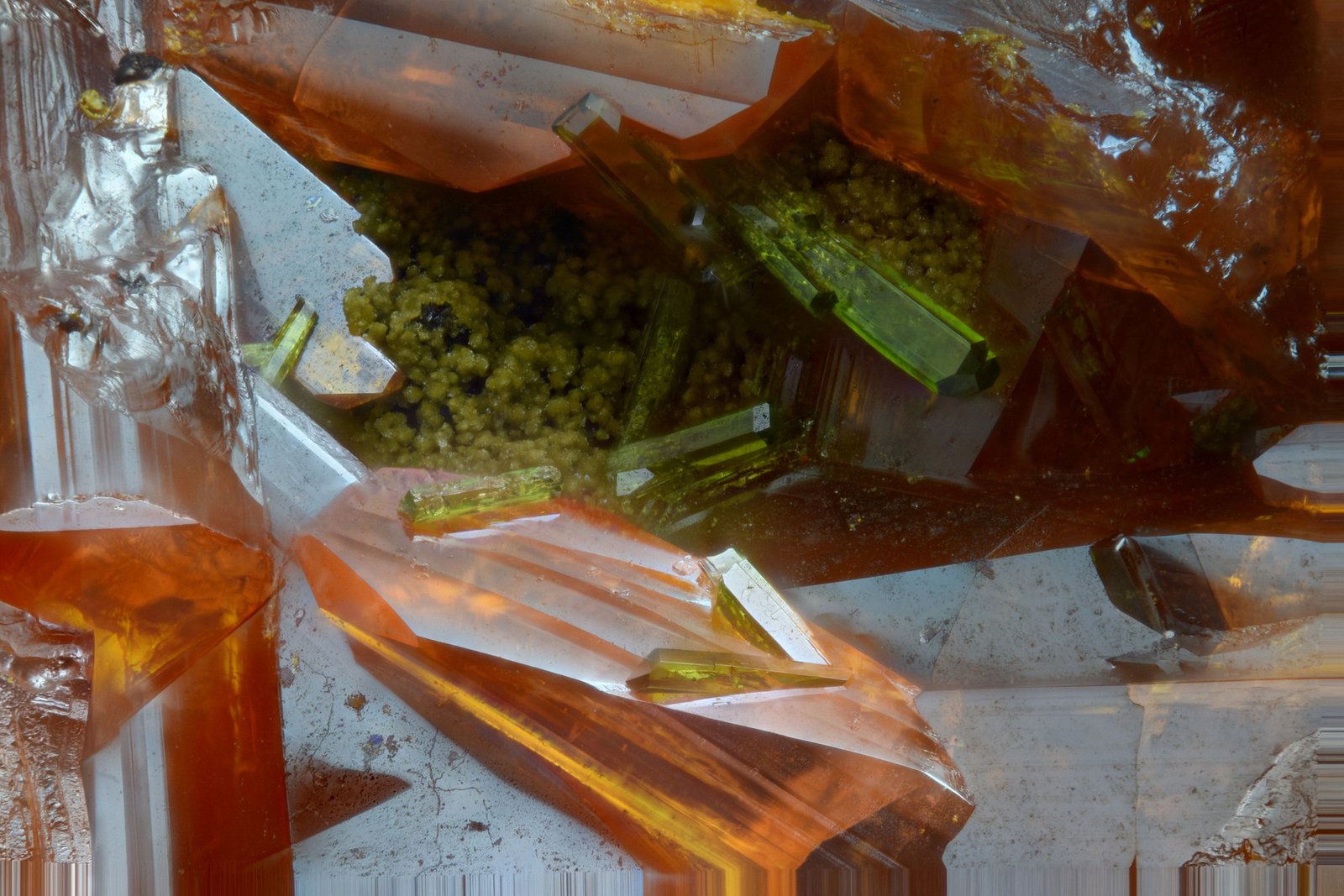
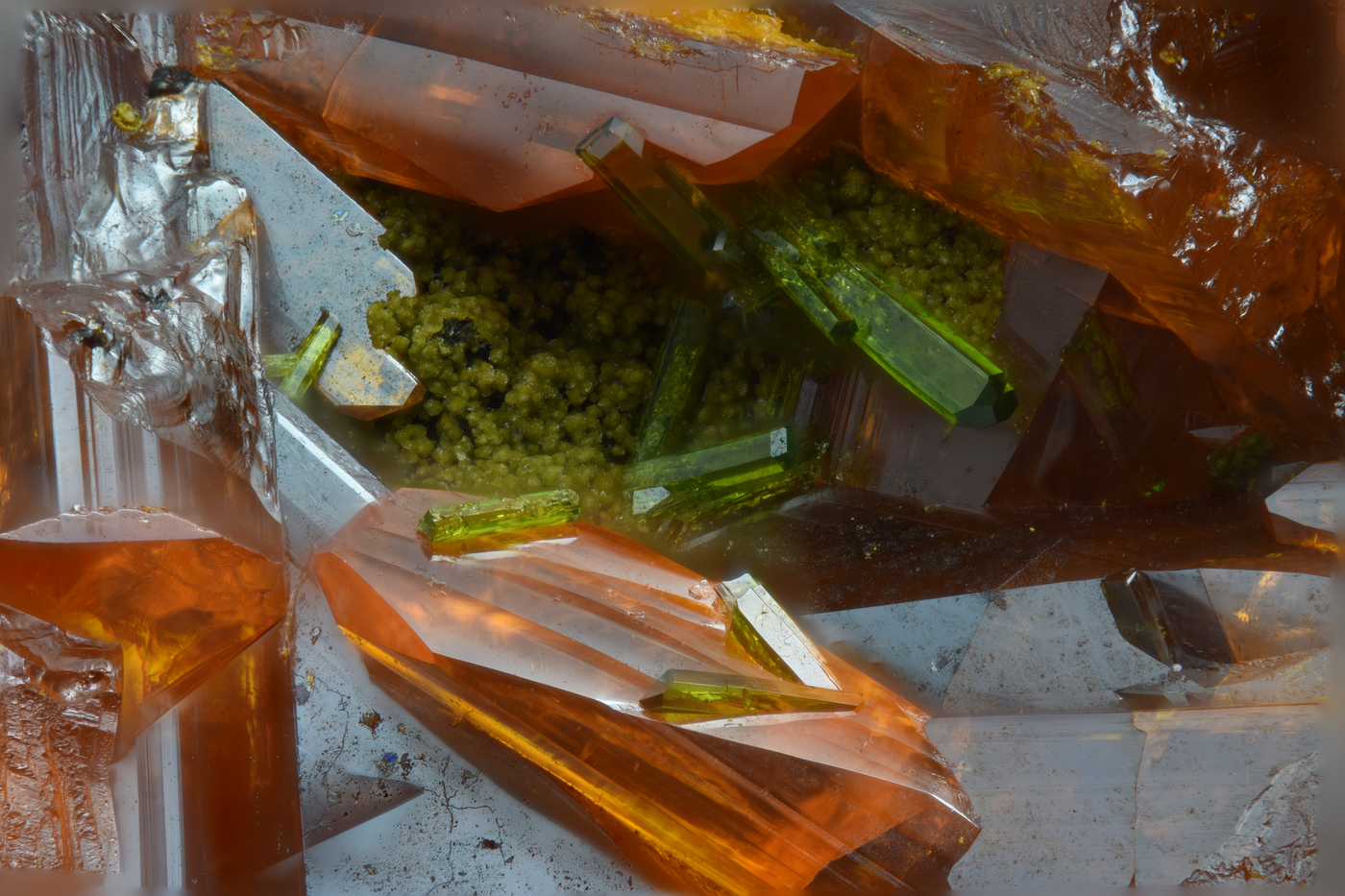
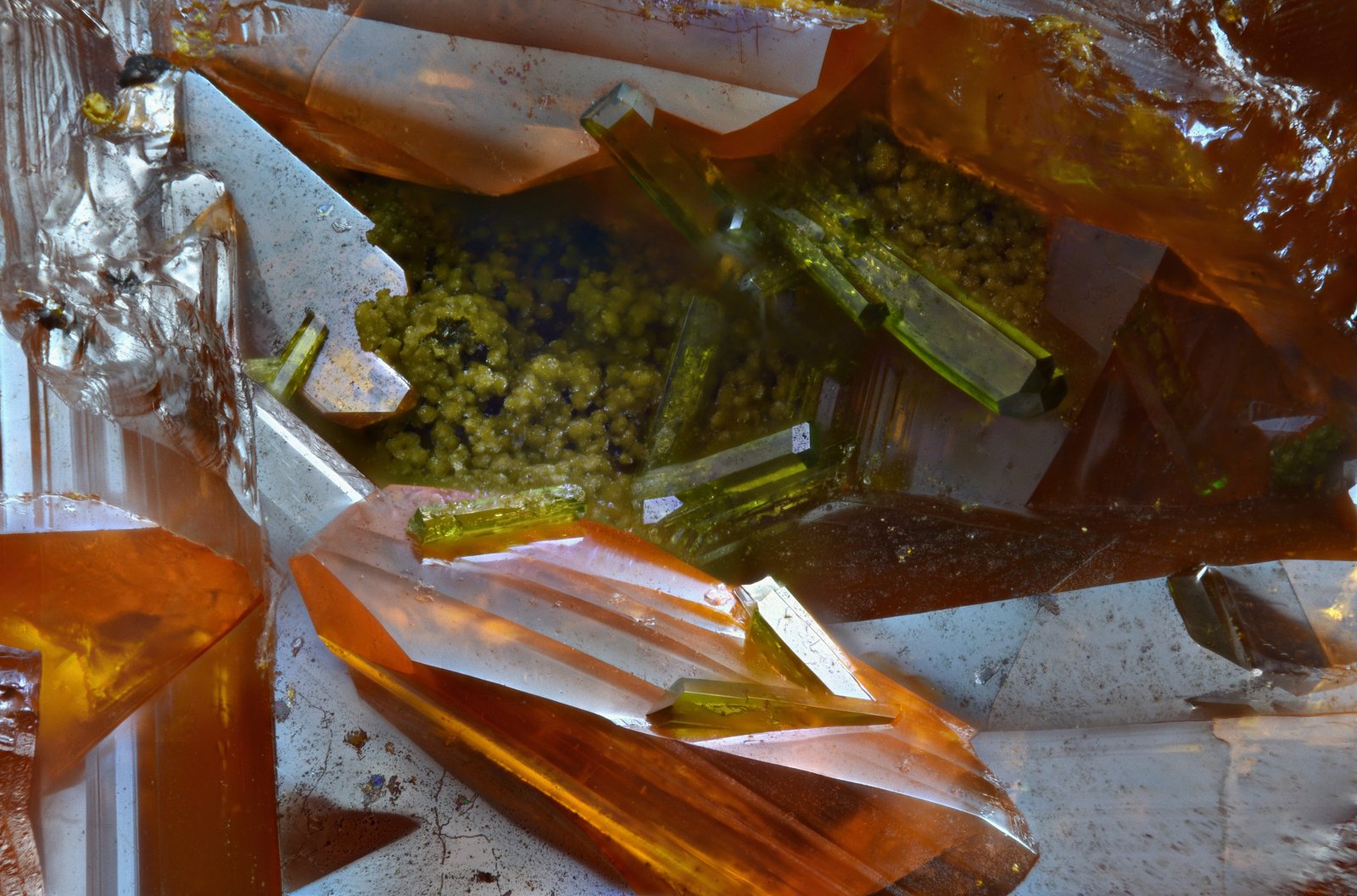
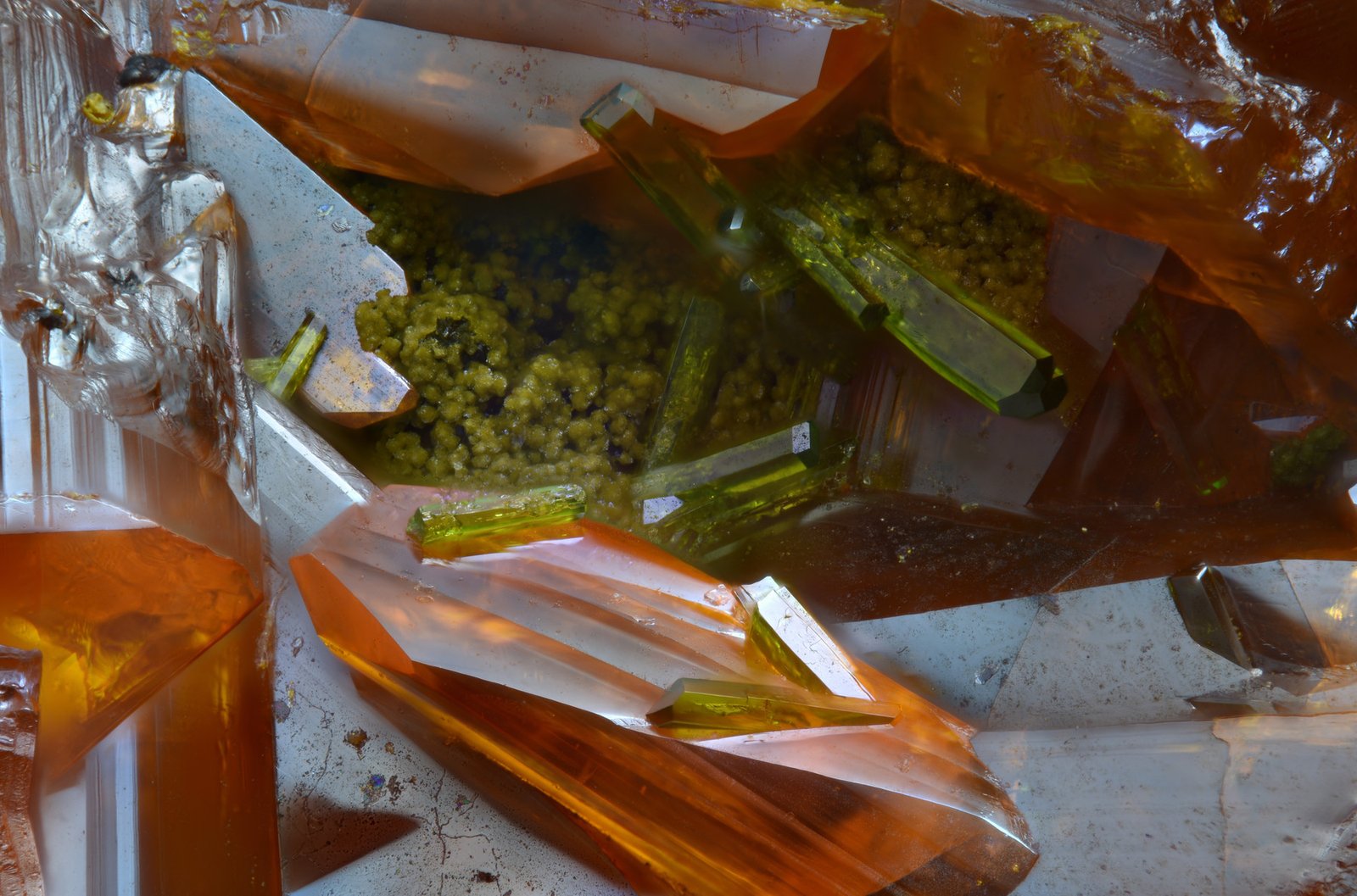
At first glance, without zooming in, it’s difficult to tell which program produces the best results. One thing to note is the very high-contrast image quality of Helicon Focus.
Next, let’s look at the already cropped images to understand them in detail.
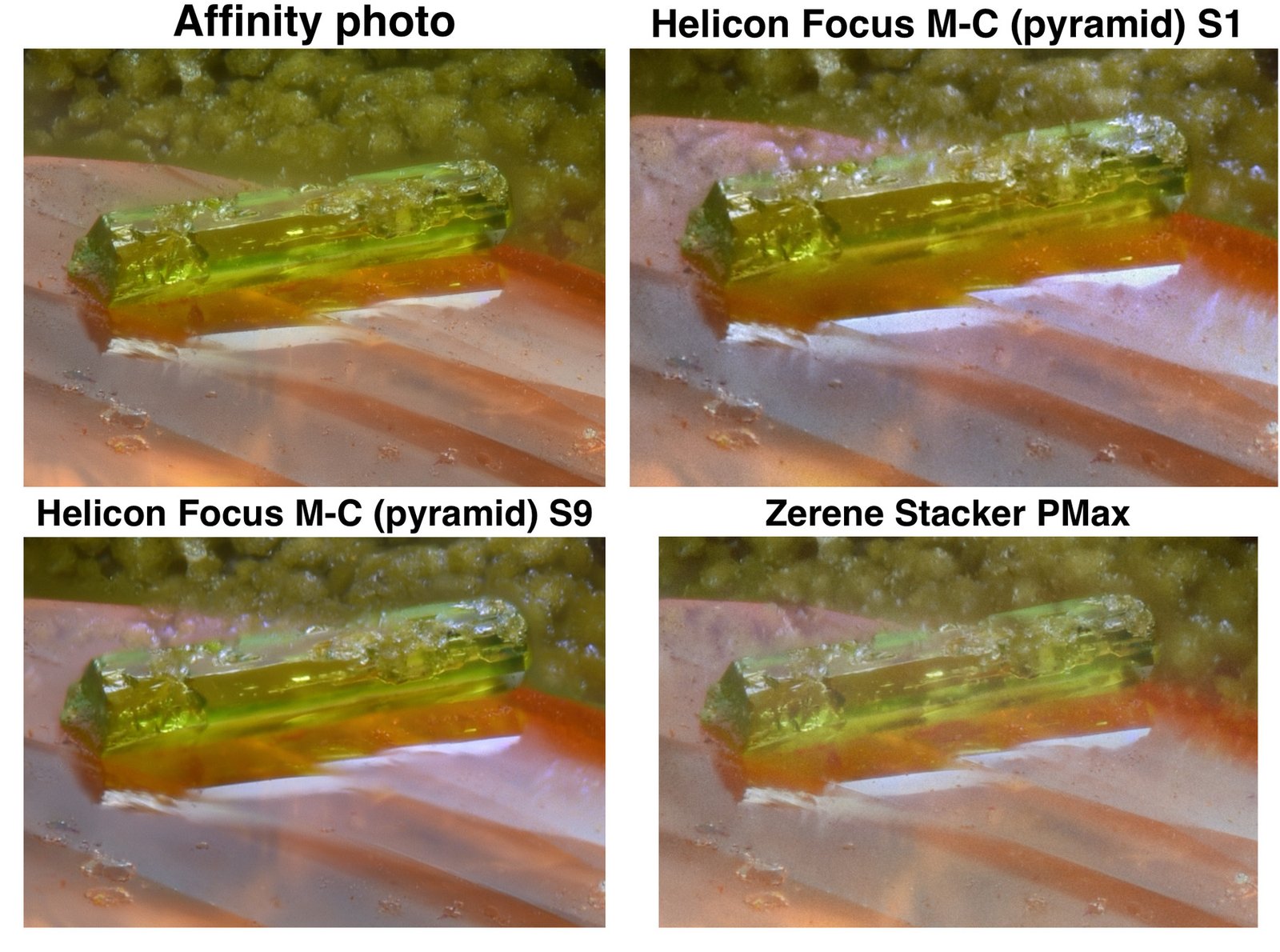
⬆️ Link to original image - LINK
I think that in focus stacking without fine details of the subject, affinity photo is the best.
But there’s one problem: a blurry area where the red crystal meets the green crystals in the photo. See the photo below. ⬇️
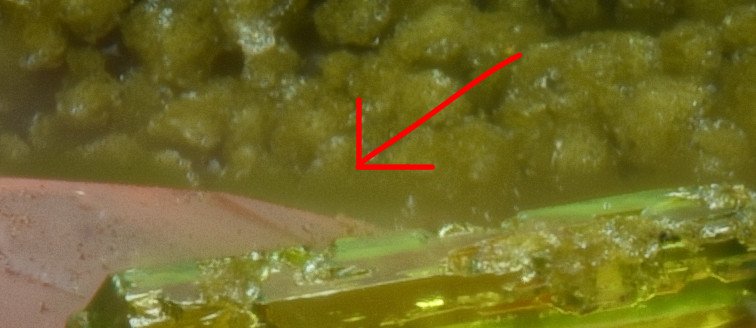
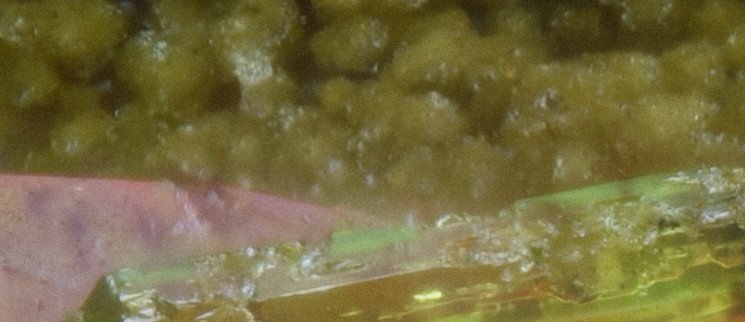
Although the grain stacker doesn’t have this blur effect where objects meet, the affinity photo produces better image detail.
Another section from this photo.⬇️
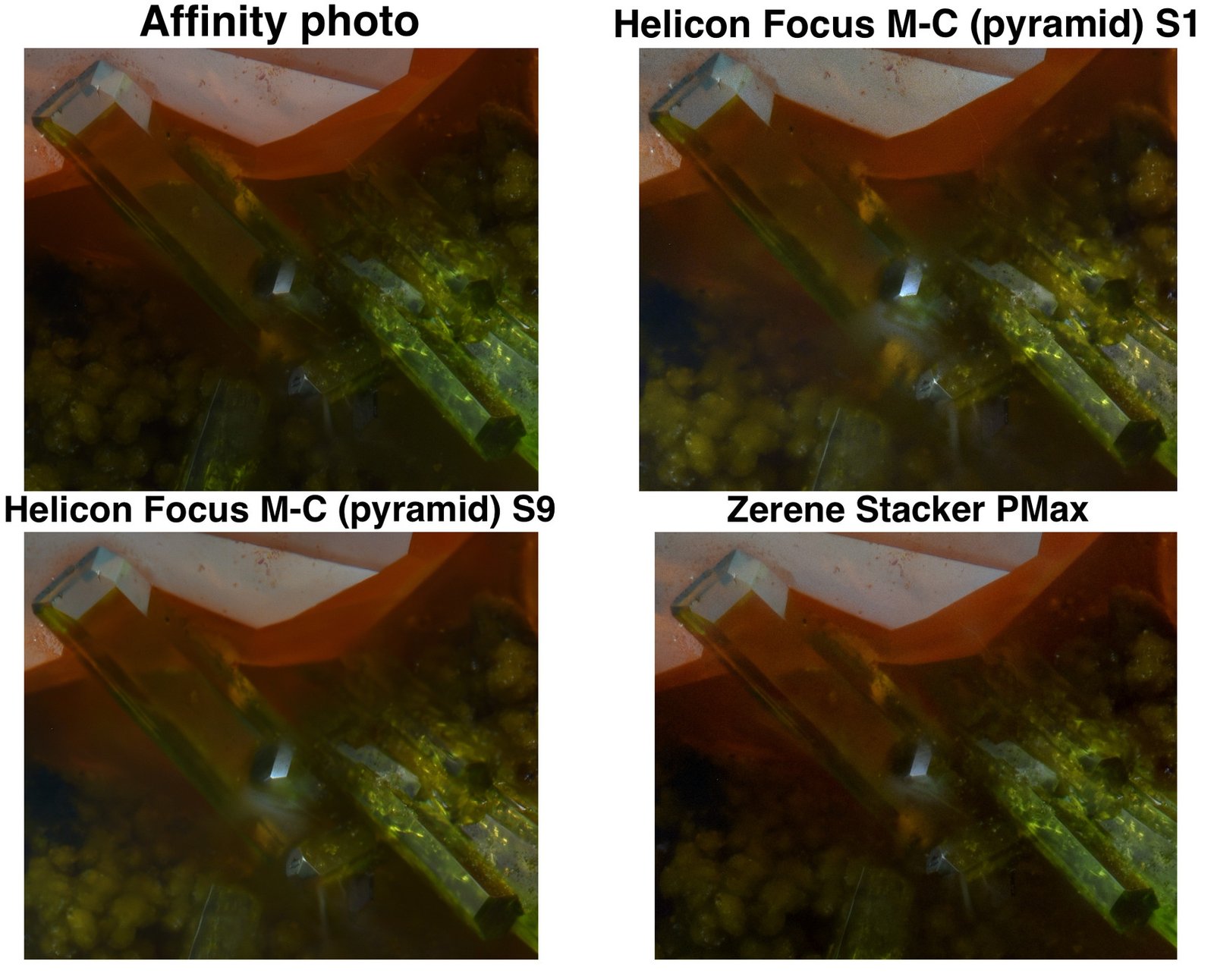
⬆️ Link to original image - LINK
Here, Helicon Focus showed some overexposed highlight artifacts. Compared to Affinity Photo and Zerene, Affinity produces a more detailed image.
Next photo ⬇️The next photograph shows very fine crystals of the mineral Cosalite. The mineral has a metallic sheen. This combination of fine crystals and metallic sheen makes photographing very challenging.
In this photo, 432 photographs were used for focus stacking.
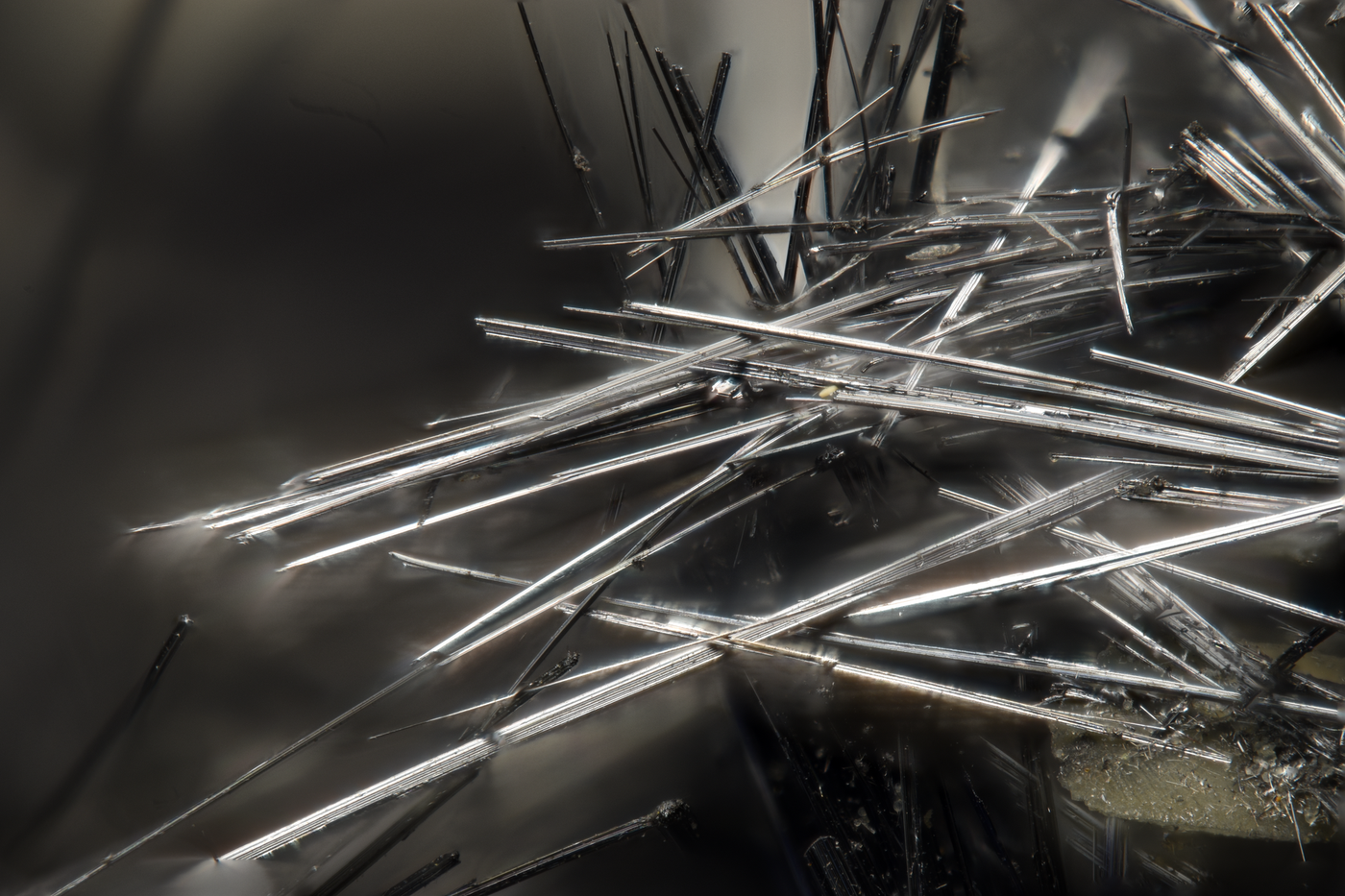
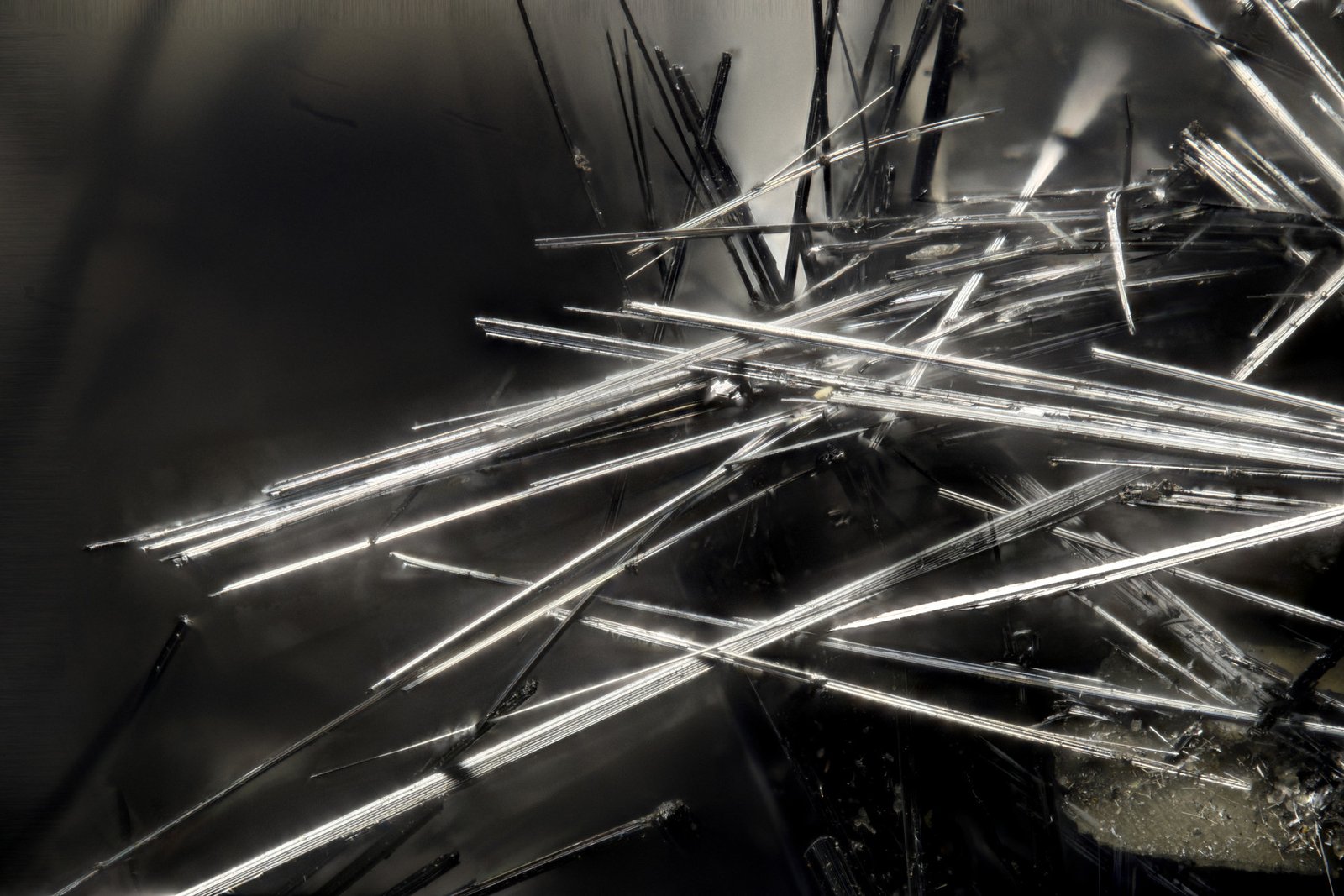
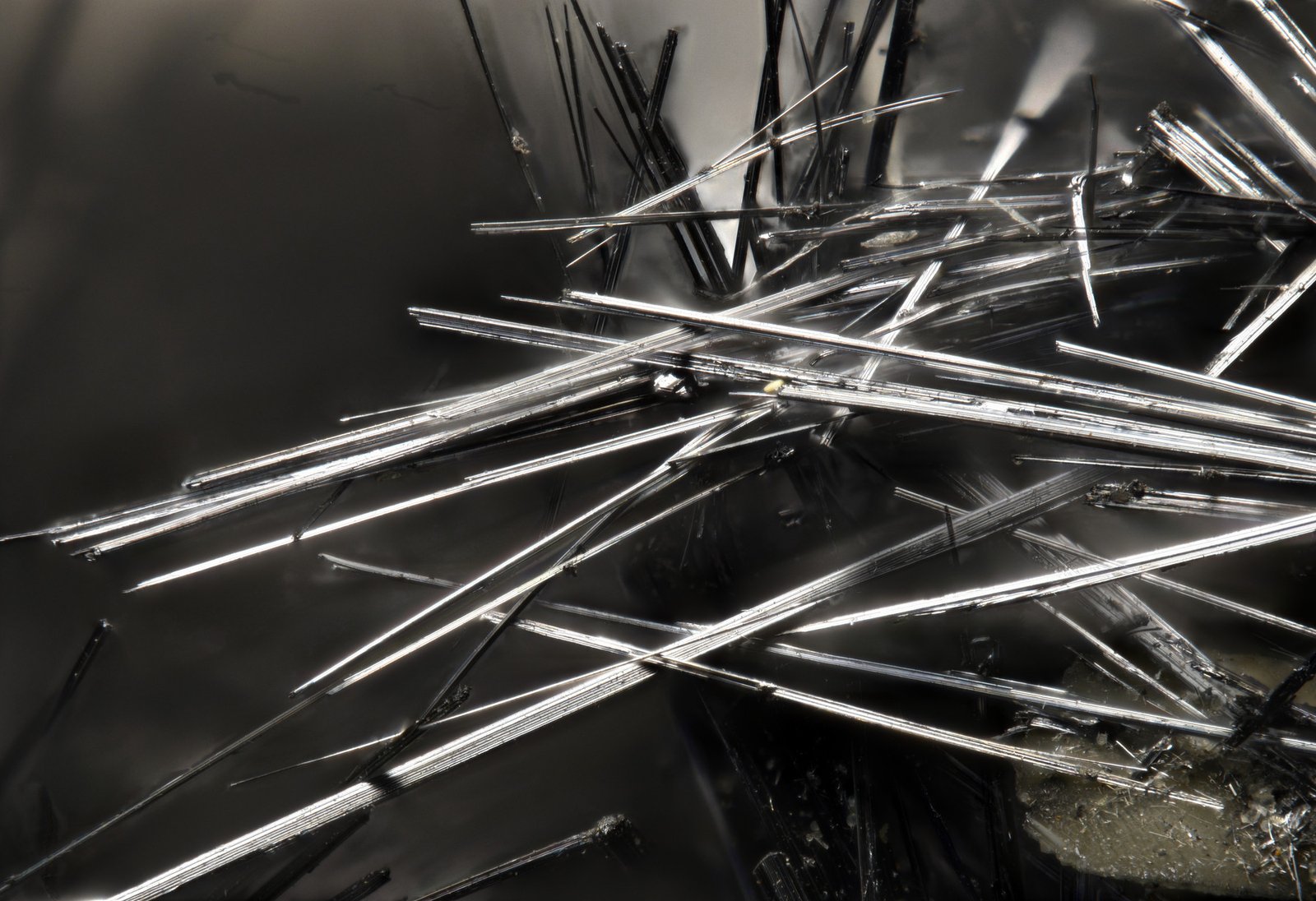
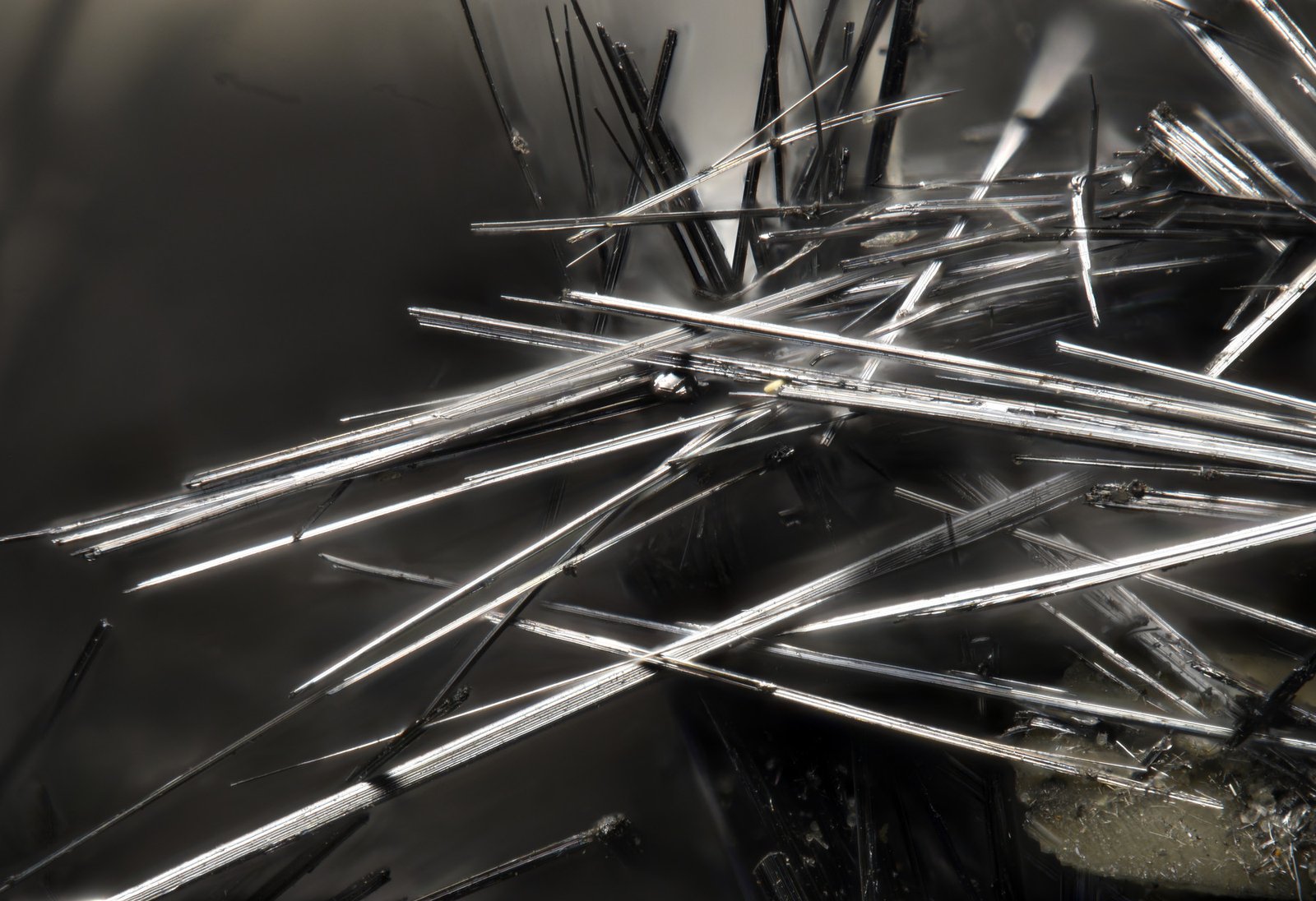
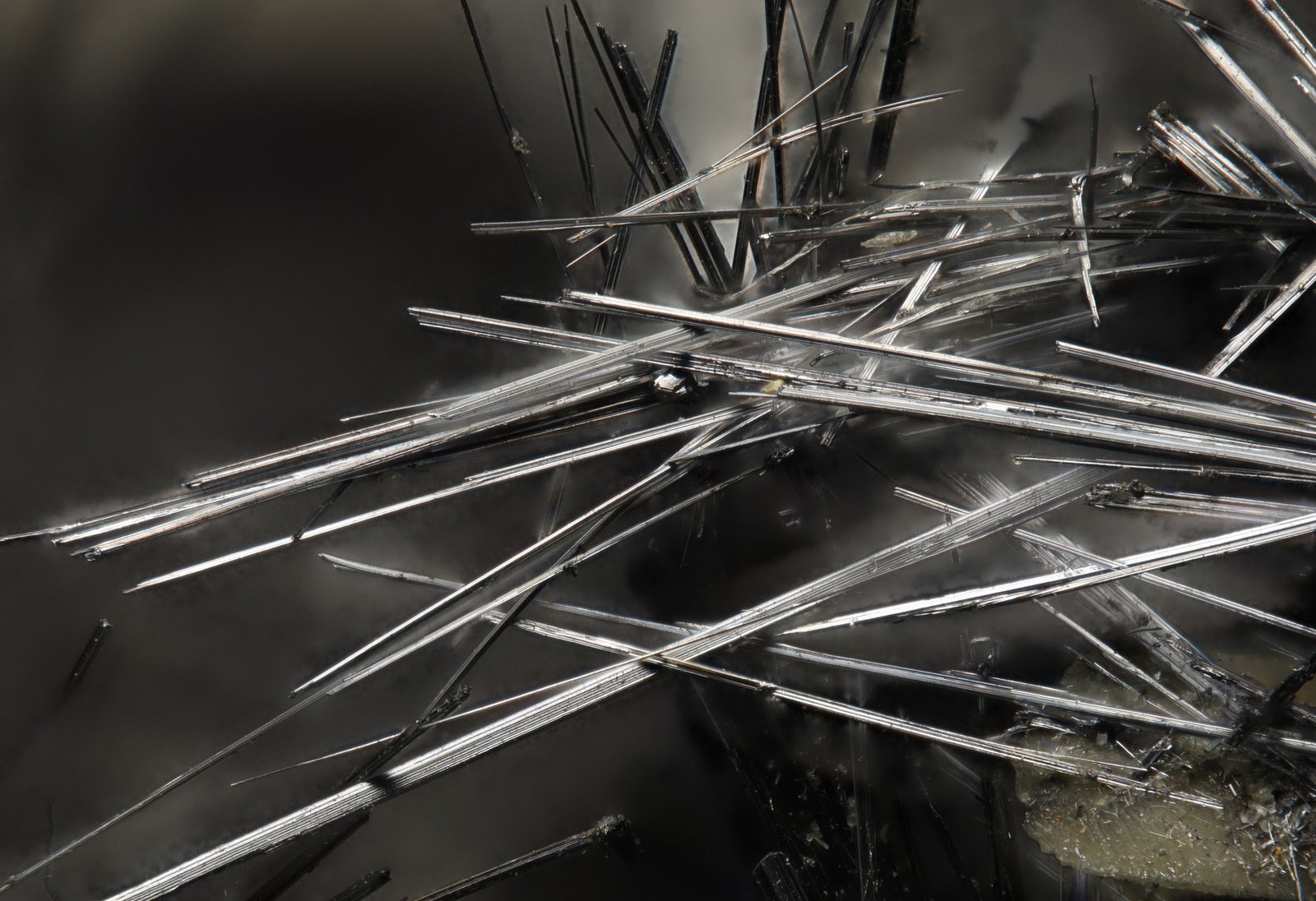
The photos show highlights on the crystals, and Helicon Method A performed best here. This is exactly the case when it’s worth combining the results of different methods. Helicon Method A showed the best results in detail and light handling, but it produces artifacts. Combining Method A and Method C can produce good results.
To reduce flare when photographing metal and thin crystals, I plan to use a polarizing filter. I’ll report on the test results later.
Next, we’ll look at cropped photos for a closer look. Magnification in at 100%.
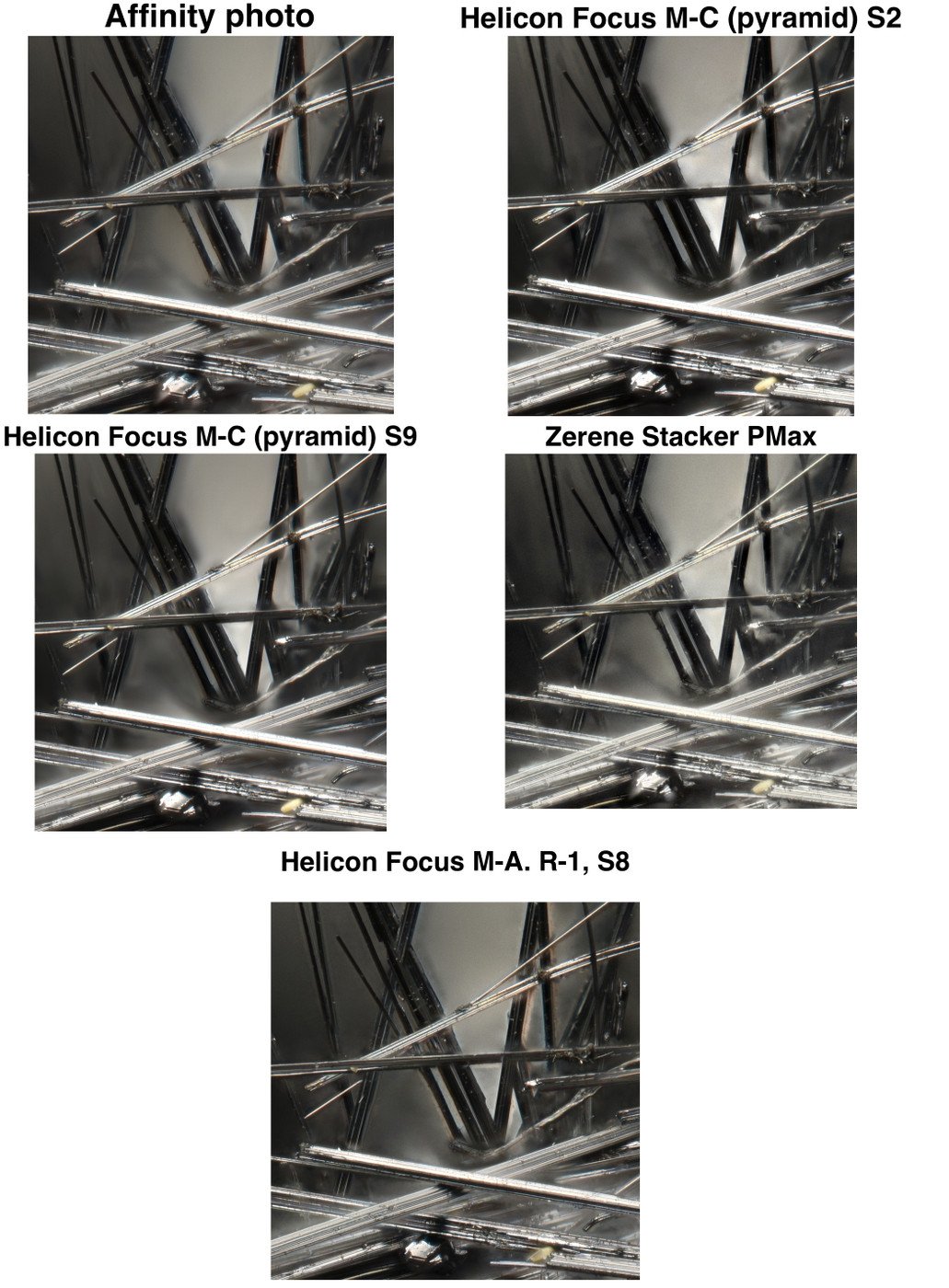
⬆️ Link to original image - LINK
The shot itself is not particularly well-executed; the lighting is poor, and the crystal facets are overexposed. Helicon Focus (Method A, R-1, S-8) performed best at focus stacking, handling the overexposed facets and detail rendering most effectively.
Conclusion: Affinity Photo is suitable for most shots, offering superior detail and a lack of artifacts—provided the subject matter does not consist of thin crystals. For thin crystals, Helicon Focus (Method A, R-1, S-8) is the best choice.